C:\ZYAGA\WORK\FOREVER-JAPANESE> TYPE README.TXT
WoW Forever Japanese
Play WoW Forever in Japanese: quests, NPC dialogue, tooltips and menus, read aloud by Japanese voices, with the game's own English one key away.
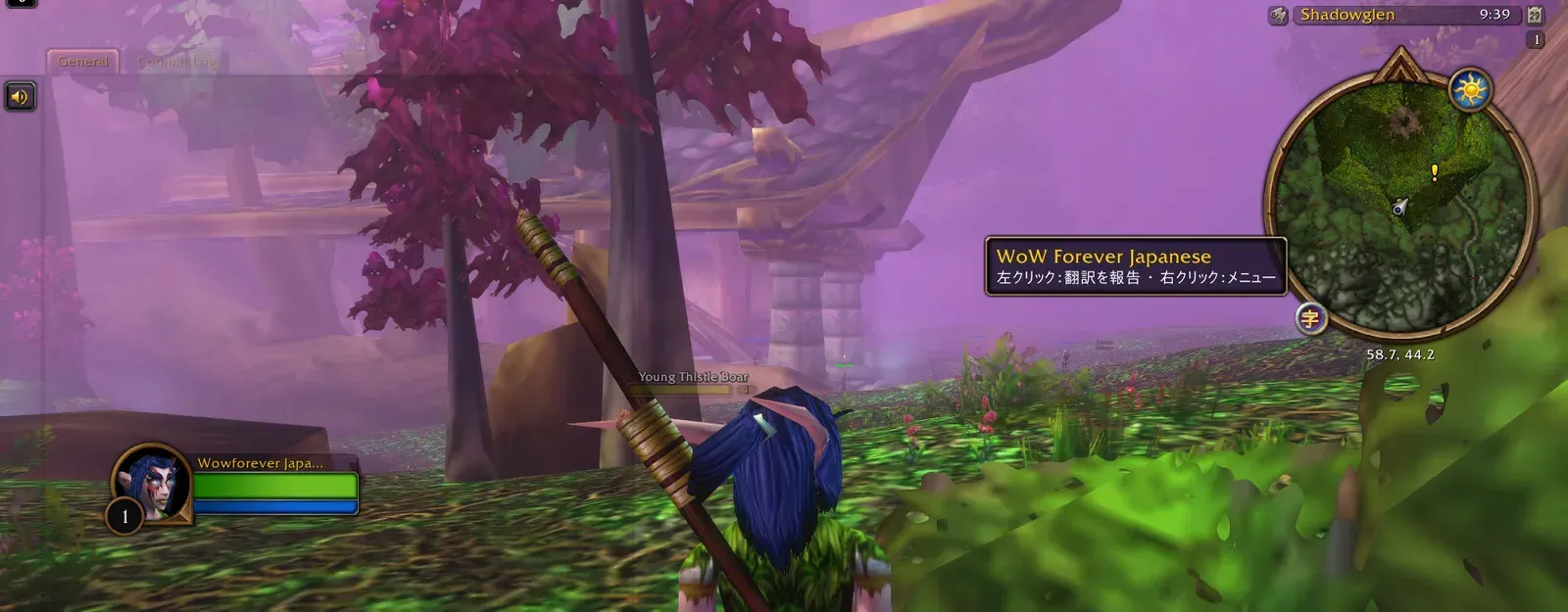
The addon shows the game in Japanese: 4,800 quests, 10,965 lines of NPC dialogue, books and letters, more than 29,000 item and spell tooltips and the game's own windows. Hold Alt and the English comes back. Hover a word to see its reading and meaning.
With the free voice download it also reads the Japanese aloud, over 14,000 lines, each NPC in a voice cast for their race, gender and age. The voices were generated on my own machine with the AivisSpeech engine.
Behind it is a Python pipeline that pulls the game's text by ID, merges translations with their sources recorded, and packages each release. Hand-written translations from earlier community addons are credited in the project.
- TYPE
- World of Warcraft addon
- PLATFORM
- WoW Forever client
- YEARS
- 2026
- ROLE
- Author and maintainer: the addon, and the pipeline that builds its translation data.
- STACK
- Lua (WoW API) / Python data pipeline / AivisSpeech voice generation / CurseForge packaging / Cloudflare Pages
- 4,800quests in Japanese
- 14,000+lines read aloud in Japanese voices
- 10,965lines of NPC dialogue
- 29,523item and spell tooltips
C:\ZYAGA> DIR /FEATURES 機能
[01]
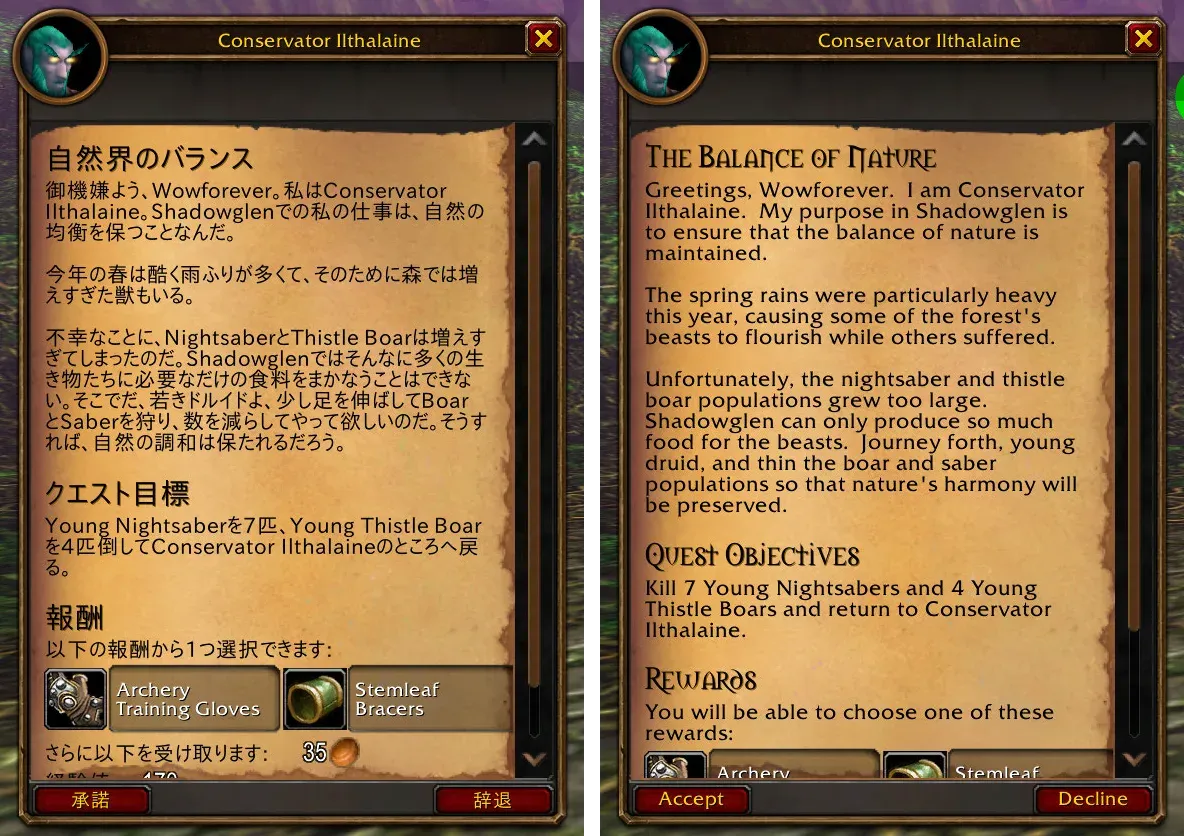
Hold Alt for the English
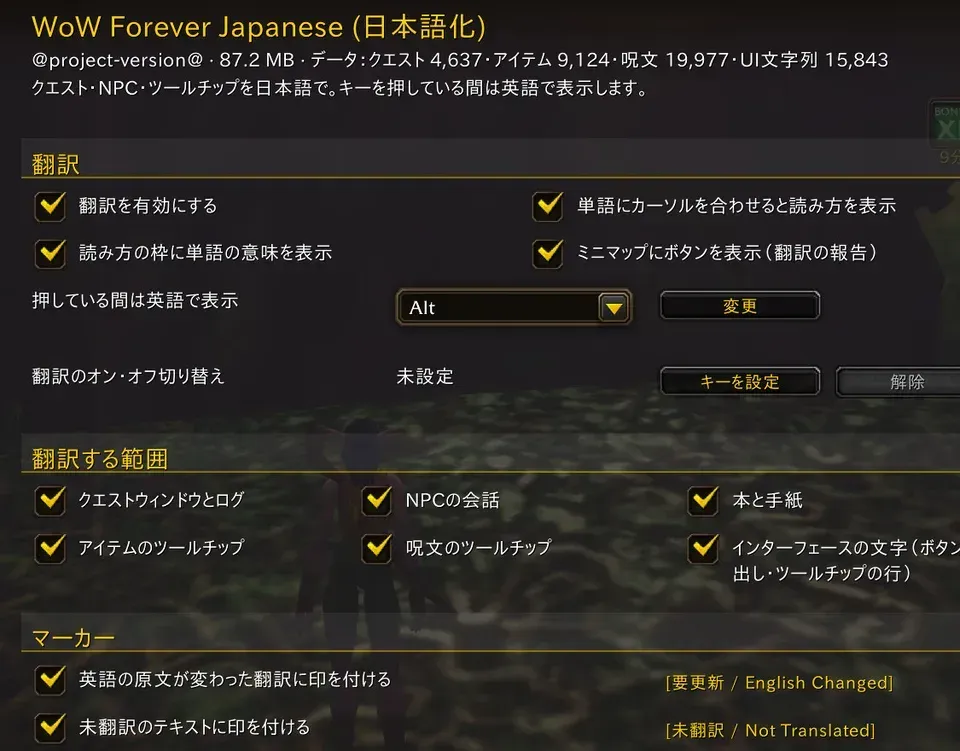
Wherever Japanese is showing, holding Alt brings back the game's own English until you let go. Names of people, places, items and spells stay in English, so they match what other players and guides call them.
[02]
Japanese voice, with a voice panel
Quest text, NPC greetings and talk, and book pages are read aloud: over 14,000 lines, each NPC in a voice cast for their race, gender and age. A panel shows who is speaking and the Japanese a sentence at a time, with the dictionary on every word. Hold Alt for the English; walk away and the line keeps playing.
[03]
A popup dictionary
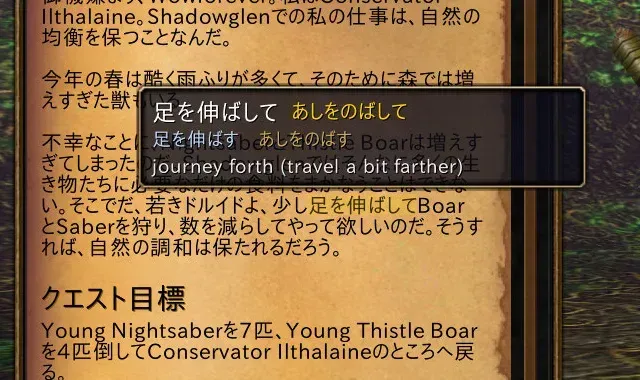
Point at a word in quest text, dialogue, a book or a window label: a small card shows how to read it, its dictionary form and what it means in that sentence.
[04]
You choose what gets translated
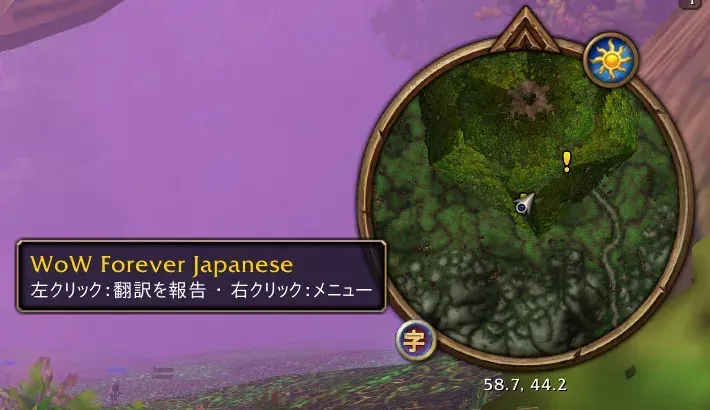
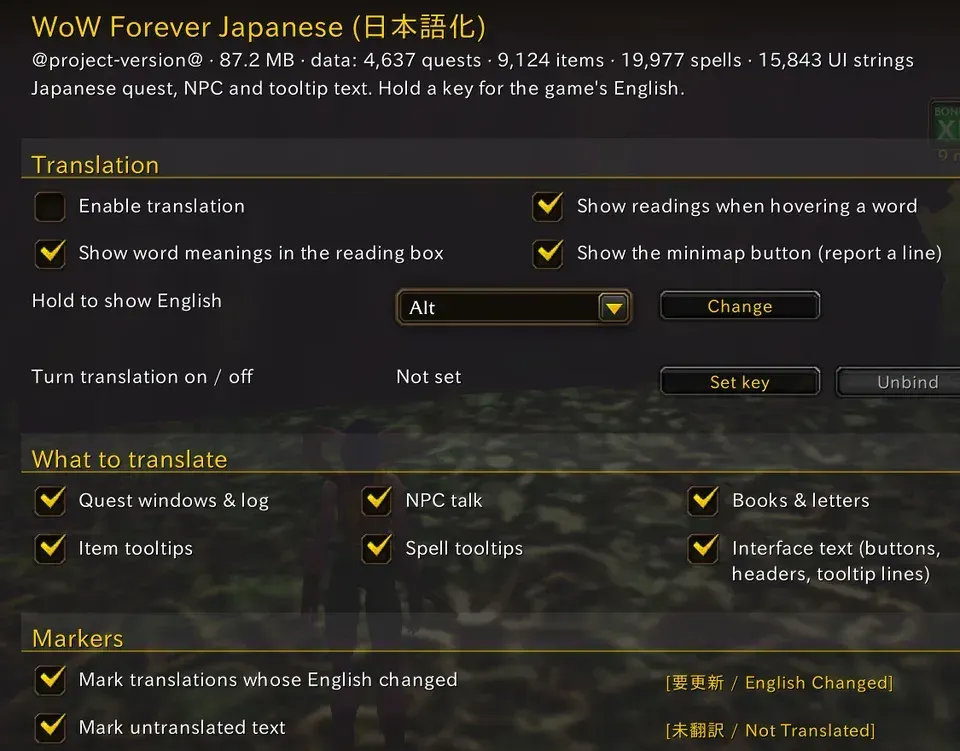
Turn the whole translation or each area on and off, change the key you hold for English, and hide the markers, the dictionary or the minimap button. Open it from the AddOns options or with /wfj.
[05]
Report a bad line from inside the game
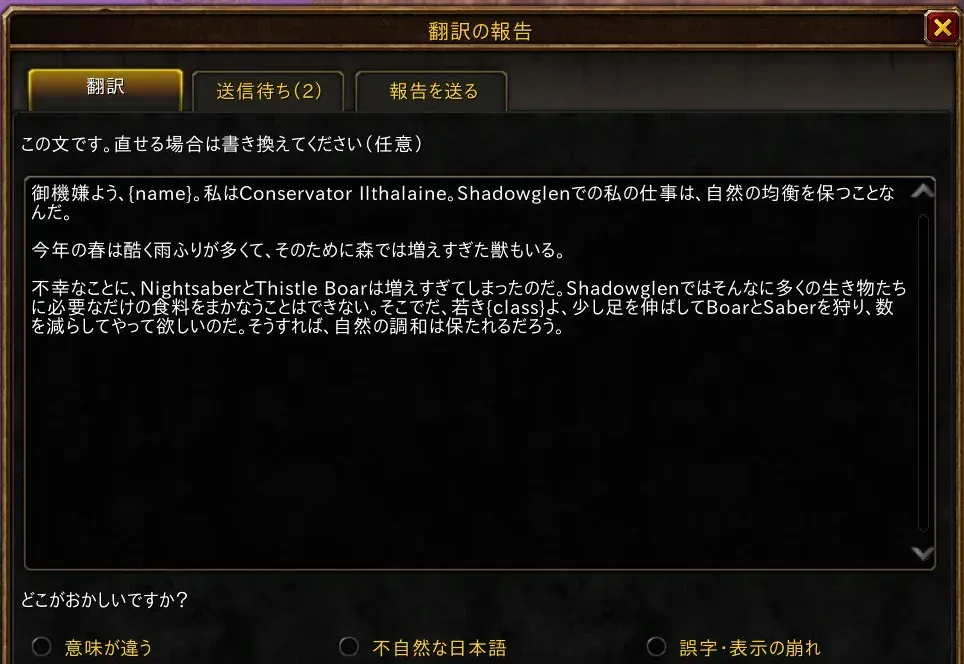
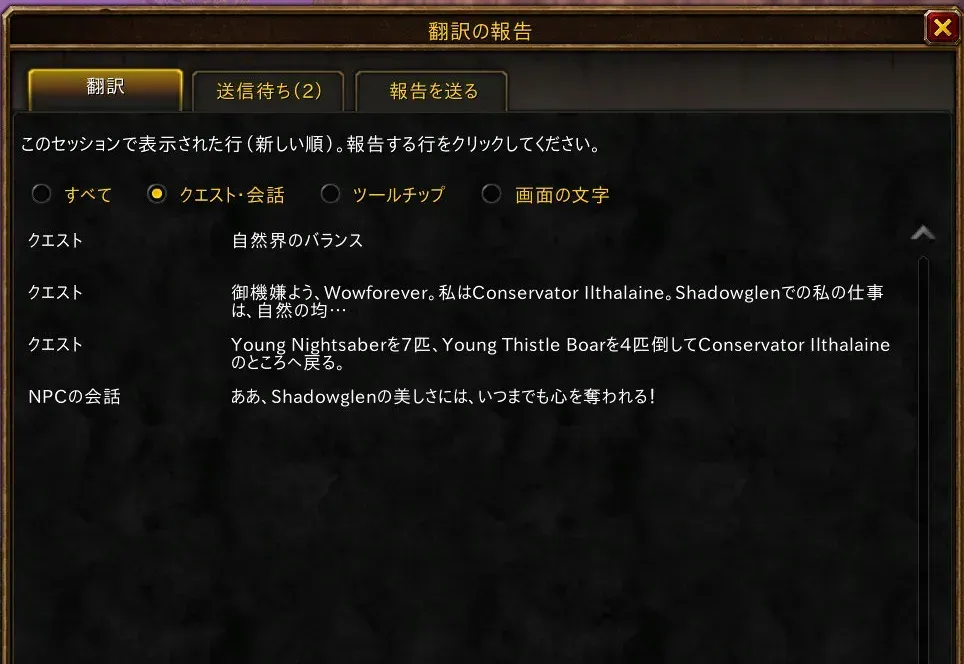
The report window lists the lines you've just seen, newest first. Click the one that reads wrong, say what's wrong, and optionally write a better line. Every step is a click; accepted fixes are credited by name.
[06]
It collects what's left to translate
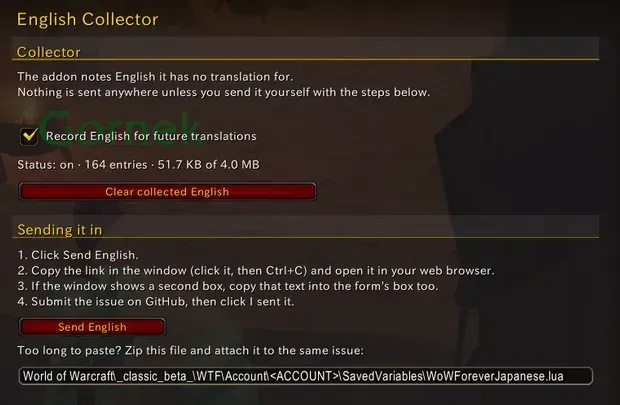
Some English only comes from the server while someone plays. The addon notes the lines it has no Japanese for and sends them in a few clicks as a GitHub issue; a bot confirms they arrived, and an update translates them.